 Arrow

Understand AI agents in plain English: how chatbots, models, tools, connectors and Agent Skills differ, with an example workflow and review checklist.
What is an AI agent, in plain English?
An AI agent is a system that uses a model and tools to work toward a goal through multiple steps. A chatbot primarily exchanges messages; an agentic workflow can also inspect information, choose a next step and use a tool. The boundary is practical rather than a guarantee: a chat application may include agent features, and an agent may still need frequent human review.
This guide is for readers following the November AI news cycle who want to understand the vocabulary before choosing a tool. It was reviewed October 26, 2026. The worked example is an original explanation, not a claim about an unattended process already deployed for an Arrow customer.
What changed in the news?
On October 22, Anthropic announced that Agent Skills would be donated to the Agentic AI Foundation. The announcement concerns the home of an open standard. It does not mean every agent has the same capabilities or that a skill works in every product without checking compatibility.
The Agent Skills documentation describes a skill as a folder containing instructions in a SKILL.md file, optionally bundled with scripts and reference material. Think of it as a reusable procedure: how to prepare a document, review a spreadsheet or follow a specific creative brief. A procedure can improve consistency without giving the system a new account connection.
Agent, skill, tool and connector: the difference
| Term | Plain-language role | Example in a document workflow |
|---|---|---|
| Model | Interprets the task and generates a response | Reads the brief and proposes a structure |
| Agent | Coordinates steps toward a goal | Collects sources, drafts and checks the result |
| Skill | Supplies a reusable procedure | Defines headings, source rules and review steps |
| Tool | Performs a concrete operation | Opens a file or produces a chart |
| Connector | Provides access to an external system | Reads an authorized document workspace |
| Review gate | Determines when a person must decide | Approves a draft before it is sent or published |
This is an explanatory model, not a guarantee that vendors use every label identically. A product can package several roles together. Ask what the system can actually read, create or change, and where it pauses for review. Those answers are more useful than the word agent on a feature card.
A simple example: prepare a weekly briefing
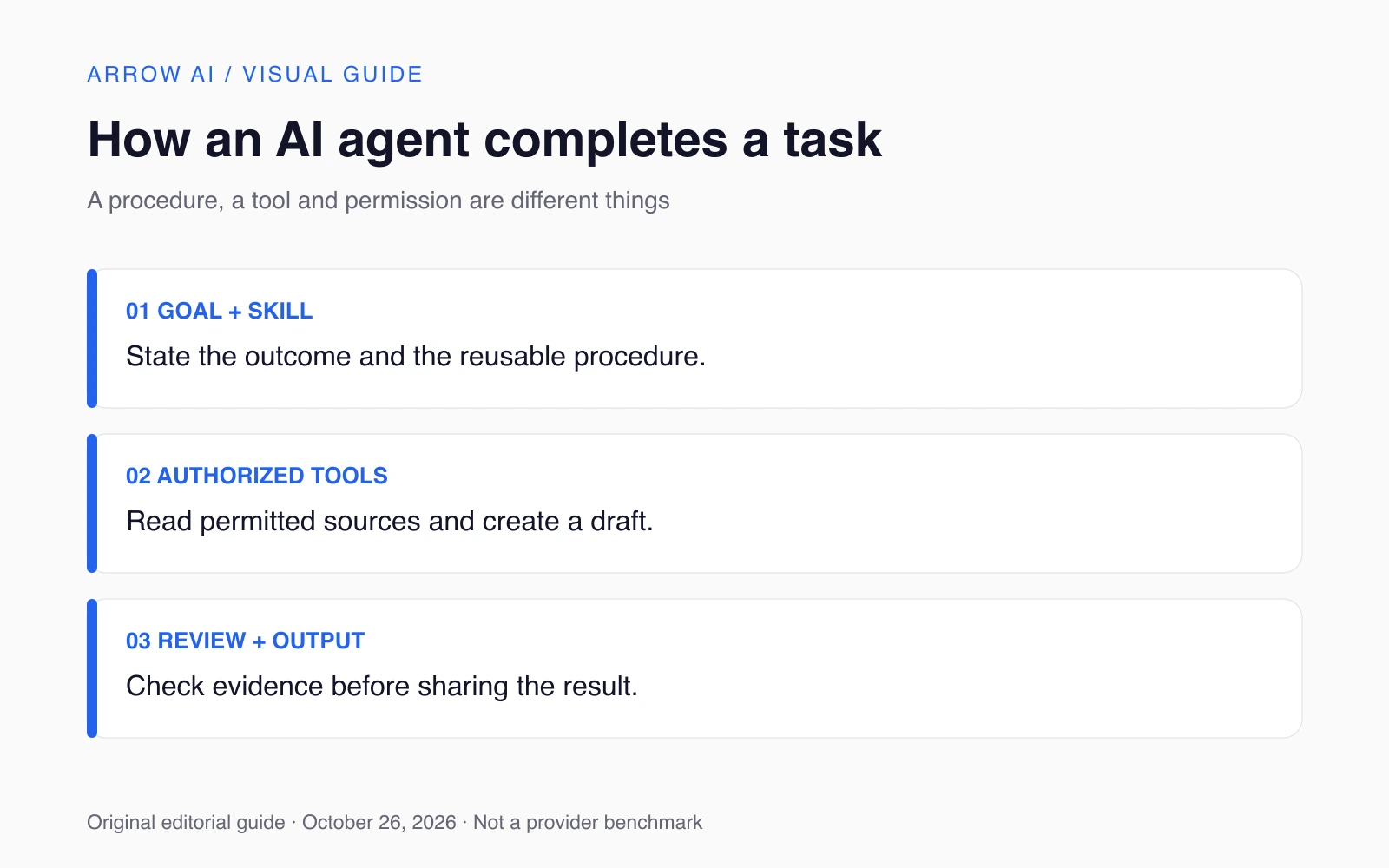
Imagine you want a weekly reading brief from five approved sources. The goal is a short document with a source link beside each factual item. The skill supplies the procedure: check publication dates, separate an announcement from analysis, use a consistent layout and flag missing evidence. The tools retrieve permitted source material and create the document.
The agent coordinates those steps. It may discover that one source is unavailable or that two articles describe the same announcement. A useful result explains that gap rather than filling it with invented detail. A person then reviews the draft before sharing it. Scheduling the process, if desired, is a separate operating choice; calling a workflow an agent does not schedule it automatically.
Now compare that with a chatbot asked for a briefing from memory. Both may produce a fluent paragraph, but the connected process has explicit source access, a repeatable method and a review point. That is the distinction to test. Fluency alone does not tell you which steps actually happened.
What can an agent do without permission?
Only what the configured product, available tools and your authorization permit. A skill is not an access token. A tool description is not permission to use it for every purpose. Before running a workflow, define the sources it may read, the outputs it may create and the actions that require review. Keep those boundaries concrete enough to inspect.
For a first experiment, choose a reversible task such as preparing a draft from approved material. Define a completion condition: the document exists, every factual item has a source, and missing sources are identified. Decide what happens if a tool fails. The first version should make the procedure visible enough that you can understand the outcome.
How do you know whether it worked?
Review the finished output and the actions taken. Did the workflow complete the requested steps, preserve the source meaning and stop at the intended review point? Count a task as incomplete when a person still has to redo the core work. A polished summary should not conceal missing files, failed steps or unsupported claims.
Keep a small trial set of familiar tasks before expanding the scope. Some tasks are better served by a checklist, template or ordinary automation. Use an agent when choosing among steps adds value to the work you need done. This is an editorial decision rule, not a forecast of autonomous capabilities.
For the surrounding product landscape, read ChatGPT vs Claude vs Gemini. For the infrastructure announcement, read OpenAI on Google Cloud. Arrow AI's AI Systems connect defined workflows, while GEO and AI Studio address public visibility and creative production.
Sources and editorial scope
Reviewed October 26, 2026. November 2026 planning edition, prepared before the month begins. Confirmed announcements retain their actual dates and access conditions. Provider claims are attributed; comparisons and workflow suggestions are Arrow AI editorial guidance, not hands-on benchmark results or guaranteed rankings. No future release is presented as an event that has already happened.
- Anthropic announced that Agent Skills would be donated to the Agentic AI Foundation
- Agent Skills documentation
Part of AI News — November 2026. Explore Arrow GEO or request a free audit to identify the next public-information gap.