 Arrow
Arrow 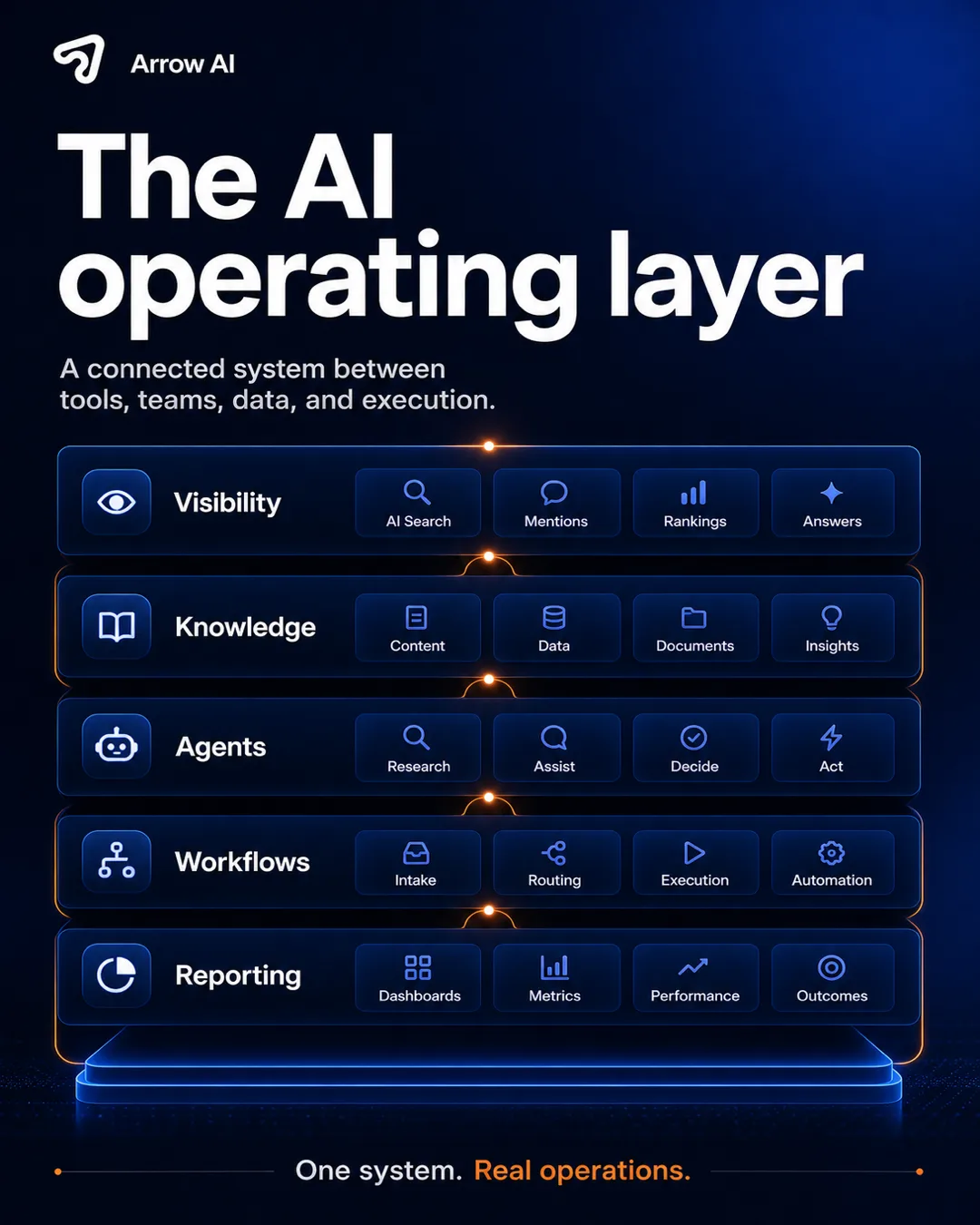
Automating a broken workflow usually makes the mess faster.
AI workflow automation sounds simple: add an agent, connect a form, trigger an email, update a CRM. But in real companies, the work rarely lives in one place. Client context sits in HubSpot, documents sit in Drive, messages sit in inboxes, approvals sit in Slack, and final decisions sit in someone’s head.
When those pieces are not connected, a bot can move quickly and still create fragile work. That is why Arrow AI custom AI systems are built around the operating layer first, not around a single automation demo.
An AI operating layer connects tools, data, agents, and decisions.
The operating layer is the controlled path that lets AI interact with the business. It defines what the AI can read, what it can write, when a human must approve, which systems are sources of truth, and how the result is tracked.
Instead of scattering automations across disconnected tools, the operating layer creates one coherent system for intake, search, drafting, routing, approval, execution, and reporting.
The layer turns separate software into one execution path.
A serious implementation usually connects the website, CRM, email, calendar, file storage, internal knowledge base, forms, dashboards, and admin workflows. The goal is not to replace the tools. The goal is to make them work together.
That is why the strongest use cases often include AI lead intake, custom AI operations, connected tool systems, AI readiness audits, and case study proof.
Good automation has clear rules before it has speed.
AI systems need guardrails: approved knowledge sources, role-based permissions, human review points, fallback logic, logging, and escalation paths. This is especially important when automations touch client communication, regulated documents, billing, legal, finance, health, or operational decisions.
Useful references for risk and governance include the NIST AI Risk Management Framework, the OWASP Top 10 for LLM Applications, Schema.org for structured content, and Google Search Central for search visibility fundamentals.
Visibility only matters when the system can handle demand.
GEO helps companies get found and cited in AI answers. But when that visibility produces new leads, the company needs intake, qualification, routing, CRM follow-up, and reporting. Otherwise, the demand leaks.
This is where Arrow AI GEO and custom systems meet. GEO creates answer visibility. The operating layer turns that visibility into controlled execution.
Where the operating layer creates leverage.
Sales: qualify inbound leads, enrich context, route to the right person, create CRM notes, and trigger follow-up. Client service: answer repetitive questions from approved knowledge, collect documents, and escalate sensitive cases. Operations: summarize decisions, update systems, and keep leadership dashboards current.
Related playbooks include AI intake assistants, AI operating layer for business, automation that works when connected, and AI ROI through workflows.
Keep building the AI operating layer topic cluster.
Before building another automation, map the layer.
Which system owns the data? Which documents are approved sources? Which actions need human review? Which CRM fields should be updated? Which events should be logged? Which answer should never be generated automatically? Which workflow should create a task instead of sending a message?
Those questions make the difference between a clever AI demo and a system your team can trust every day.
Put it into practice
Reading is step one. The audit is step two.
See how AI engines describe your brand today — free, in two minutes.